
OpenRouter
Probo reads your OpenRouter organization’s members through the organization members API so you can review who has access.
Prerequisites
Section titled “Prerequisites”- Probo organization administrator access
- The organization admin (
org:admin) role in OpenRouter (mint the management key from within the organization) - An OpenRouter organization (create one under Settings > Preferences before creating the key; this requires a verified email address)
Collected Fields
Section titled “Collected Fields”| Probo field | OpenRouter field | Notes |
|---|---|---|
| Name | first_name last_name |
Combined into a full name; falls back to the email when neither is set |
email |
The member’s email address | |
| Role | role |
org:admin maps to Admin, org:member maps to Member, otherwise the raw role |
| Admin | role |
Flagged as an administrator when role is org:admin |
| Status | Not supported | |
| MFA | Not supported | |
| Last login | Not supported | |
| External ID | id |
Stable identifier used to track the account across reviews |
| Created at | Not supported |
Step 1: Create an API Key
Section titled “Step 1: Create an API Key”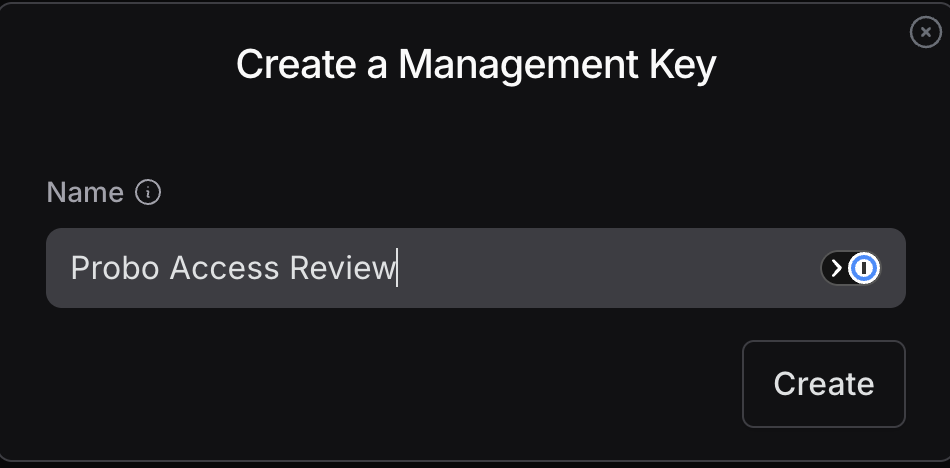
- In OpenRouter (signed in as an organization admin), go to Settings > Management API Keys (
openrouter.ai/settings/management-keys). - Click Create New Key, name it (e.g.
Probo Access Review), and confirm. Management keys have no per-scope toggles; the key type alone authorizes listing organization members. - Copy the key (
sk-or-v1-…) and store it securely. It’s shown only once.
Step 2: Connect in Probo
Section titled “Step 2: Connect in Probo”- In Probo, go to Access Reviews > Sources > Add Source.
- Find OpenRouter, click API Key, paste the key, and click Connect.
Probo names the source OpenRouter and pulls your organization’s members into your campaigns.
Troubleshooting
Section titled “Troubleshooting”- Key rejected. Confirm it’s an organization Management API key (
sk-or-v1-…), not a personal inference key. A key that does not belong to an organization is rejected. - No members appear. The management key must belong to the organization you are reviewing and be created by an organization admin. A personal key returns no members.